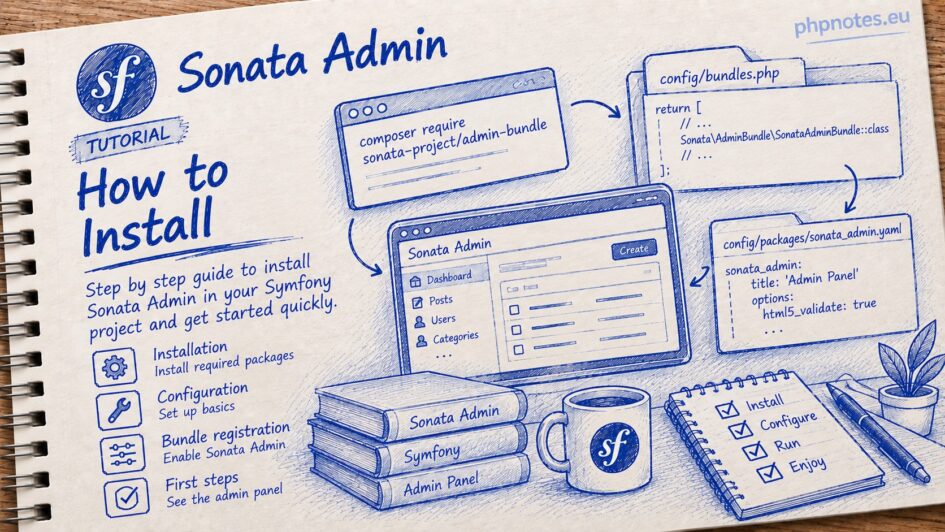
The instructions on the project website are somewhat unclear. That is why I decided to create my own, hopefully more accessible, guide.
First, we install the main package:
composer require sonata-project/admin-bundle
However, we do not add the following configuration mentioned in the instructions:
config/packages/framework.yaml
framework:
translator: { fallbacks: ['%locale%'] }Instead:
config/packages/translation.yaml
framework:
    default_locale: pl
    translator:
        default_path: '%kernel.project_dir%/translations'
        fallbacks:
- enBefore installing the Sonata User Bundle, we will prepare the User entity using the maker.
php bin/console make:entity
In my case, it will also be located in the ‘User’ subdirectory. For now, it can simply be empty.
src/Entity/User/User.php
<?php

namespace App\Entity\User;

use App\Repository\User\UserRepository;
use Doctrine\ORM\Mapping as ORM;

#[ORM\Entity(repositoryClass: UserRepository::class)]
class User
{
    #[ORM\Id]
    #[ORM\GeneratedValue]
    #[ORM\Column]
    private ?int $id = null;


    public function getId(): ?int
    {
        return $this->id;
    }
}For Doctrine ORM, we install an additional package:composer require sonata-project/doctrine-orm-admin-bundle
Only then do we install the user package:
composer require sonata-project/user-bundle
If we skip the installation of doctrine-orm-admin-bundle, an error will occur:
In CheckExceptionOnInvalidReferenceBehaviorPass.php line 116:
The service "sonata.user.admin.user" has a dependency on a non-existent service "sonata.admin.manager.orm". Did you mean this: "sonata.admin.maker"?
So let’s keep this in mind 🙂
We create the sonata_user.yaml file.
config/packages/sonata_user.yaml
sonata_user:
    class:
        user: App\Entity\User\User
    resetting:
        email:
            address: sonata@localhost
sender_name: Sonata AdminWe ensure that auto_mapping is enabled for Doctrine, so we don’t need to add anything else to the file below.
config/packages/doctrine.yaml
doctrine:
    orm:
auto_mapping: trueWe check the route; the configuration should be generated automatically:
We only change the extension if it is XML: sonata_admin.xml -> .php (XML is deprecated).
config/routes/sonata_admin.yaml
admin_area:
    resource: "@SonataAdminBundle/Resources/config/routing/sonata_admin.php"
    prefix: /admin

_sonata_admin:
    resource: .
    type: sonata_admin
prefix: /adminLet’s add a route.
config/routes.yaml
sonata_user_admin_security:
    resource: '@SonataUserBundle/Resources/config/routing/admin_security.php'
    prefix: /admin

sonata_user_admin_resetting:
    resource: '@SonataUserBundle/Resources/config/routing/admin_resetting.php'
prefix: /adminNow we will set up our User class to inherit from BaseUser.
Pay attention to protected $id; it must be compatible with the parent class.
It is also good practice to check for the uniqueness of the username and email.
src/Entity/User/User.php
<?php

namespace App\Entity\User;

use App\Repository\User\UserRepository;
use Doctrine\ORM\Mapping as ORM;
use Sonata\UserBundle\Entity\BaseUser;
use Symfony\Bridge\Doctrine\Validator\Constraints\UniqueEntity;

#[ORM\Entity(repositoryClass: UserRepository::class)]
#[UniqueEntity('username')]
#[UniqueEntity('email')]
class User extends BaseUser
{
    #[ORM\Id]
    #[ORM\GeneratedValue]
    #[ORM\Column(type: 'integer')]
    protected $id;

    public function getId(): ?int
    {
        return $this->id;
    }
}We create the database and update the schema:php bin/console doctrine:database:createphp bin/console doctrine:schema:update --dump-sql --force
In case of an error:
Unknown column type "array" requested. Any Doctrine type that you use has to be registered with \Doctrine\DBAL\Types\Type::addType(). You can get a list of all the known types with \Doctrine\DBAL\Types\Type::getTypesMap(). If this error occurs during database introspection then you might have forgotten to register all database types for a Doctrine Type. Use AbstractPlatform#registerDoctrineTypeMapping() or have your custom types implement Type#getMappedDatabaseTypes(). If the type name is empty you might have a problem with the cache or forgot some mapping information.
The following package will be required:
composer require "doctrine/dbal": "^3"
Firewall in accordance with the instructions.
config/routes/security.yaml
security:
    password_hashers:
        Sonata\UserBundle\Model\UserInterface: auto
    …
    providers:
        …
        sonata_user_bundle:
            id: sonata.user.security.user_provider

    firewalls:
        …
        admin:
            lazy: true
            pattern: /admin(.*)
            provider: sonata_user_bundle
            context: user
            form_login:
                login_path: sonata_user_admin_security_login
                check_path: sonata_user_admin_security_check
                default_target_path: sonata_admin_dashboard
            logout:
                path: sonata_user_admin_security_logout
                target: sonata_user_admin_security_login
            remember_me:
                secret: '%env(APP_SECRET)%'
                lifetime: 2629746
                path: /admin

    role_hierarchy:
        ROLE_ADMIN: [ ROLE_SONATA_ADMIN ]
        ROLE_SUPER_ADMIN: [ ROLE_ADMIN ]

    # Note: Only the *first* matching rule is applied
    access_control:
        # Admin login page needs to be accessed without credential
        - { path: ^/admin/login$, role: PUBLIC_ACCESS }
        - { path: ^/admin/logout$, role: PUBLIC_ACCESS }
        - { path: ^/admin/login_check$, role: PUBLIC_ACCESS }
        - { path: ^/admin/request$, role: PUBLIC_ACCESS }
        - { path: ^/admin/check-email$, role: PUBLIC_ACCESS }
        - { path: ^/admin/reset/.*$, role: PUBLIC_ACCESS }

        # Secured part of the site
        # This config requires being logged for the whole site and having the admin role for the admin part.
        # Change these rules to adapt them to your needs
        - { path: ^/admin/, role: ROLE_SONATA_ADMIN }
        - { path: ^/.*, role: PUBLIC_ACCESS }
If there is no frontend, only the admin, you can comment out or remove:
config/routes/security.yaml
    firewalls:
        # main:
        #     lazy: true
# provider: users_in_memoryNow we can create the first user with the SUPERADMIN role and try to log in:
username: admin
password: admin
Command to create the user:php bin/console sonata:user:create admin lp.tset@nimda admin --super-admin
It is also worth adding these packages to complete the setup:composer require sonata-project/translation-bundlecomposer require sonata-project/intl-bundle
You should also set your language in the sonata_translation.yaml configuration file.
In case of issues, listed below are the bundle versions I used to install Sonata.
composer.json
        "doctrine/dbal": "^3",
        "doctrine/doctrine-bundle": "^2.18",
        "doctrine/doctrine-fixtures-bundle": "^4.3",
        "doctrine/doctrine-migrations-bundle": "^3.7",
        "doctrine/orm": "^3.6",


        "sonata-project/admin-bundle": "^4.42",
        "sonata-project/doctrine-orm-admin-bundle": "^4.17",
        "sonata-project/user-bundle": "*",

Leave a Reply