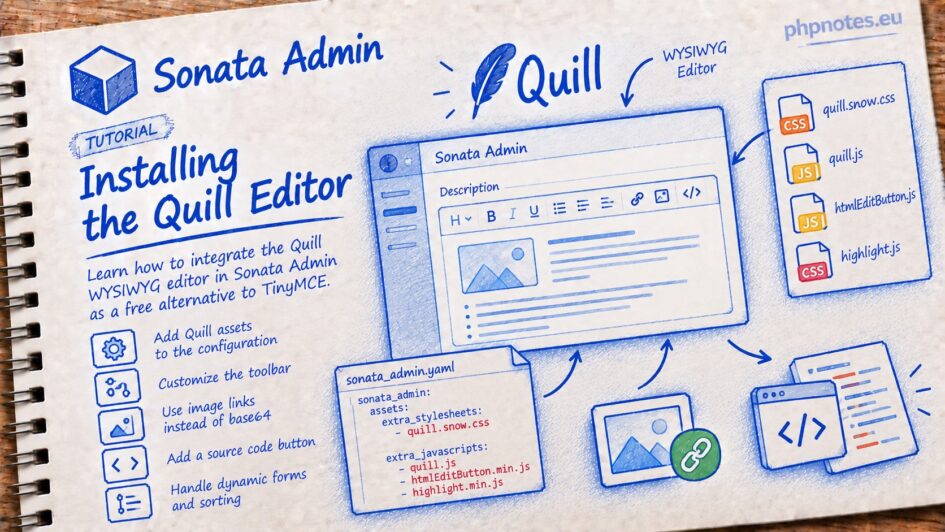
We will install the Quill WYSIWYG editor, which is a good, free alternative to the paid TinyMCE.
Link to the editor:
To install Quill in Sonata, simply add the JS and CSS files to the configuration:
https://cdn.jsdelivr.net/npm/quill@2.0.3/dist/quill.snow.css
https://cdn.jsdelivr.net/npm/quill@2.0.3/dist/quill.js
Additionally, files for the source preview button:
https://unpkg.com/quill-html-edit-button@2.2.7/dist/quill.htmlEditButton.min.js
I am also adding files for syntax highlighting of this source:
https://cdnjs.cloudflare.com/ajax/libs/highlight.js/10.1.2/styles/github.min.css
https://cdnjs.cloudflare.com/ajax/libs/highlight.js/10.1.2/highlight.min.js
config/packages/sonata_admin.yaml
sonata_admin:

    assets:
        extra_stylesheets:
            - 'https://cdnjs.cloudflare.com/ajax/libs/highlight.js/10.1.2/styles/github.min.css'
            - 'https://cdn.jsdelivr.net/npm/quill@2.0.3/dist/quill.snow.css'

        extra_javascripts:
            - 'https://cdnjs.cloudflare.com/ajax/libs/highlight.js/10.1.2/highlight.min.js'
            - 'https://cdnjs.cloudflare.com/ajax/libs/highlight.js/10.1.2/languages/xml.min.js'
            - 'https://cdn.jsdelivr.net/npm/quill@2.0.3/dist/quill.js'
            - 'https://unpkg.com/quill-html-edit-button@2.2.7/dist/quill.htmlEditButton.min.js'
- 'js/quill-config.js'I place the custom editor configuration in the js/quill-config.js file.
– I configure the toolbar.
– I replace the standard image insertion (which stores images as base64) with link insertion: quillImageHandler.
– I register the source code preview button: htmlEditButton.
– I initialize the editor on all form fields with the class quill-editor.
Invocation in the form:
            ->add('description', null, [
                'label' => 'faq.field.description',
                'attr' => [
                    'class' => 'quill-editor',
                ],
])The Sonata documentation describes the sonata-admin-append-form-element and sonata-collection-item-added events. Despite my attempts, I was unable to catch them, so I took a different approach.
I used an observer.
public/js/quill-config.js
$(document).ready(function () {
    const quillToolbarOptions = [
        [{'header': [1, 2, 3, 4, 5, 6, false]}],
        ['bold', 'italic', 'underline', 'strike'],
        [{'color': []}, {'background': []}],
        [{'align': []}],
        ['blockquote'],

        [{'list': 'ordered'}, {'list': 'bullet'}],
        [{'script': 'sub'}, {'script': 'super'}], // superscript/subscript

        ['link', 'image'],

        ['clean']
    ];

    // zmiana zachowania edytora: zamiast base64, można dać link do pliku
    function quillImageHandler() {
        var range = this.quill.getSelection();
        var value = prompt('Wklej url obrazka.');
        if(value){
            this.quill.insertEmbed(range.index, 'image', value, Quill.sources.USER);
        }
    }

    Quill.register("modules/htmlEditButton", htmlEditButton);

    function initQuillEditors(context = document) {
        $(context).find('.quill-editor').each(function () {
            const el = $(this);
            if (el.data('quill-initialized')) {
                return;
            }
            el.data('quill-initialized', true);

            var id = 'quilleditor-' + Date.now() + '-' + Math.random().toString(36).slice(2), val = el.val(), editorHeight = 200;
            var div = $('<div/>')
                .attr('id', id)
                .css('min-height', editorHeight + 'px')
                .css('overflow-y', 'scroll')
                .css('resize', 'vertical')
                .html(val)
            ;
            el.addClass('hidden');
            div.insertBefore(el);

            var quill = new Quill('#' + id, {
                theme: 'snow',
                modules: {
                    toolbar: {
                        container: quillToolbarOptions,
                        handlers: {
                            image: quillImageHandler
                        }
                    },
                    htmlEditButton: {
                        syntax: true,
                    }
                }
            });

            quill.on('text-change', function () {
                el.val(quill.root.innerHTML);
            });

            quill.root.addEventListener('mousedown', function (e) {
                e.stopPropagation();
            });

            quill.root.addEventListener('pointerdown', function (e) {
                e.stopPropagation();
            });

        });
    }

    initQuillEditors();

    const observer = new MutationObserver(function (mutations) {
        mutations.forEach(function (mutation) {
            mutation.addedNodes.forEach(function (node) {
                if (node.nodeType === 1) {
                    initQuillEditors(node);
                }
            });
        });
    });

    observer.observe(document.body, {
        childList: true,
        subtree: true
    });

});With Sonata sorting enabled, an issue arose where sorting events were triggered within the editor, making it impossible to type anything. Instead of allowing editing, a mouse click would trigger a reordering event. The solution to this problem is the following code snippet:
            quill.root.addEventListener('mousedown', function (e) {
                e.stopPropagation();
            });

            quill.root.addEventListener('pointerdown', function (e) {
                e.stopPropagation();
});More editor add-ons can be found at:


Leave a Reply